lpm security
Inspect the security floor, approve temporary exceptions, protect local policy, and repair security state.
Use lpm security to inspect or manage security approvals on your computer.
lpm security <COMMAND> [--json]

lpm security status [--project <PATH> | --global]
lpm security unlock <SCOPE> [--project <PATH> | --global] [--ttl <TTL>] [--package <PKG>...]
lpm security lock <SCOPE> [--project <PATH> | --global] [--package <PKG>...]
lpm security protect status
lpm security protect enable [--firewall <FIREWALL>]
lpm security protect disable
lpm security repair
A security floor is the minimum protection that guarded LPM CLI commands accept. Weaker command flags or project settings require approval.
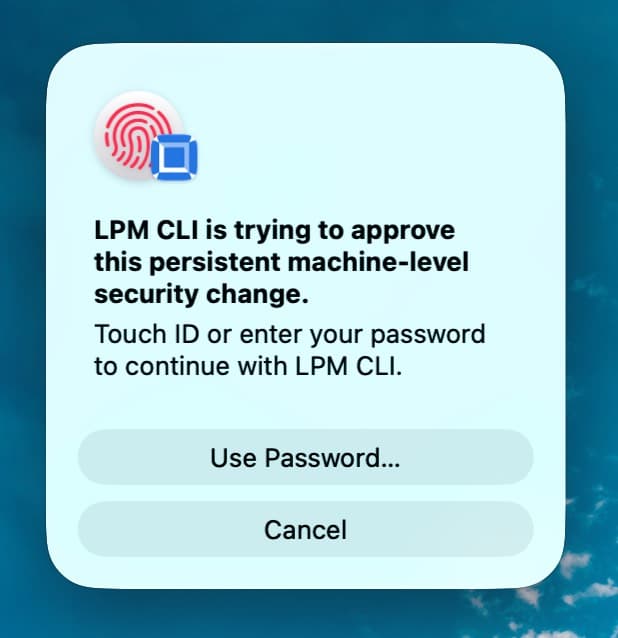
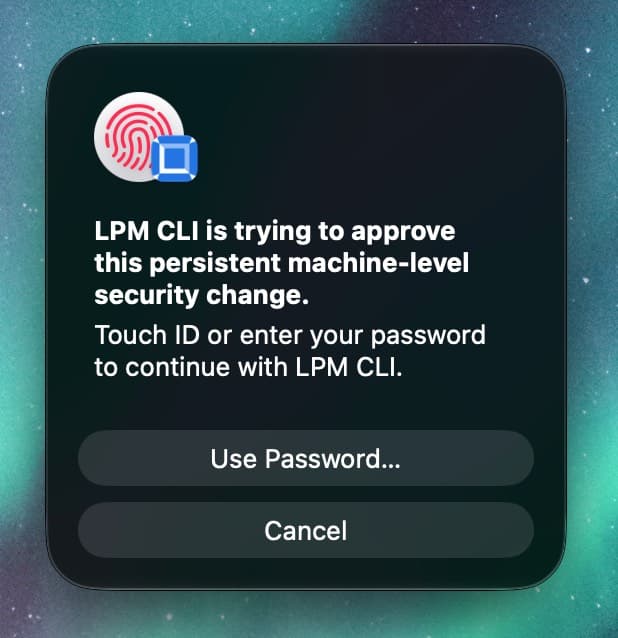
macOS approval prompt for a persistent machine-level security change.
The command manages that approval state. It does not install or change a package.
Quickstart
Inspect the security state for the current project:
lpm security statusThe output shows the effective security floor, its sources, runtime overrides, and active project unlocks.
Choose a command
| Command | Purpose | Use it when |
|---|---|---|
lpm security status | Show the effective security state | You want to inspect a project before changing anything |
lpm security unlock <SCOPE> | Approve a temporary exception | A command reports security_approval_required |
lpm security lock <SCOPE> | Revoke a temporary exception | You no longer need an active unlock |
lpm security protect status | Inspect OS-managed local protection | You want to see whether managed firewall protection is active |
lpm security protect enable | Enable OS-managed firewall protection | You want protection that a different LPM_HOME cannot bypass |
lpm security protect disable | Remove OS-managed firewall protection | An administrator wants to remove that firewall entry |
lpm security repair | Quarantine unverifiable local security state | Signed security files fail verification |
unlock and lock default to the global target. status defaults to the current project.
Use --project . for an ordinary project. Global grants apply to global-install operations and machine floor edits. They do not unlock every project.
Use an explicit target in scripts and saved instructions.
Project and user configuration
lpm security does not read settings from lpm.json.
Security-sensitive settings can come from package.json, lpm.toml, environment variables, or ~/.lpm/config.toml. These values are requests, not approval by themselves.
Examples of guarded project settings include:
package.json > lpm.scriptPolicy = "allow"package.json > lpm.minimumReleaseAge = 0package.json > lpm.minimumReleaseAgePolicy = "direct"lpm.toml > [sandbox] mode = "none"- Wider
trustedDependencies,trustedScopes,passEnv,readProject, orsandboxLimitsvalues
If a setting weakens the approved floor, LPM CLI rejects it until you approve the required scope.
Use lpm config for persistent user settings. A weaker value requires fresh approval or an active global floor-edit grant.
Local approval state follows LPM_HOME. Each LPM home keeps its own approval files and OS credential store entries, so approvals made with one home don't apply with another. Use an OS-managed policy when protection must also apply with a different LPM home.
A managed policy has higher authority than user or project settings. You cannot unlock a change that the managed policy prohibits.
Recipes
Inspect a project
Run this command in the project or one of its subdirectories. Without --project, it reports the nearest directory with a package.json and prints that directory when it is not the current one:
lpm security statusUse --project to inspect another project:
lpm security status --project /path/to/projectUse --global to inspect global unlocks:
lpm security status --globalApprove one temporary project exception
Suppose an install reports that sandbox-none requires approval. Create a ten-minute project unlock:
lpm security unlock sandbox-none --project . --ttl 10m
lpm install --no-sandbox
The unlock command requests approval in an interactive terminal. It does not run the install.
If the original error includes suggested_command, copy that command. It contains the required scope and target.
Limit an exception to one package
If the reported exception applies to a specific package, use --package:
lpm security unlock provenance-ignore-drift \
  --project . \
  --package esbuild \
  --ttl 10m
Repeat --package to include more packages. Package filters work only with one concrete scope.
Revoke an exception early
Use the same scope, target, and package filters that you used for the unlock:
lpm security lock provenance-ignore-drift \
  --project . \
  --package esbuild
The command removes matching temporary unlocks. It does not change project files or the approved machine floor.
Approve a short configuration session
Approve machine floor edits for five minutes, then apply an explicit configuration change:
lpm security unlock floor-edit --global --ttl 5m
lpm config scripts --set triage --json
lpm security lock floor-edit --global
Only the unlock step requires interactive device approval. A valid global grant permits the configuration command to run without another prompt.
The grant expires, but the approved configuration changes remain. The grant cannot override managed policy.
While force-security-floor is active, lower controls remain protected.
The grant permits an explicit change to that switch through lpm config.
Protect npm installs on this computer
Enable managed LPM Firewall enforcement:
lpm security protect enable
lpm security protect status
Use monitor mode to report verdicts without blocking packages:
lpm security protect enable --firewall monitorThe enable and disable commands change an OS-managed policy file. Run each command as your normal user and approve operating-system elevation.
On Unix, LPM CLI uses sudo. On Windows, it uses an administrator prompt. The privileged operation changes only the fixed policy file.
Repair invalid local security state
If LPM CLI reports an invalid signature or an inconsistent audit history, use repair:
lpm security repair
lpm security status
The command moves invalid files to quarantine. It does not silently trust or delete them.
Temporary unlocks
lpm security unlock <SCOPE> [--project <PATH> | --global] [--ttl <TTL>] [--package <PKG>...]An unlock approves a guarded exception for a limited time. The default lifetime is 10m, and the maximum is 365d.
Durations can use seconds, minutes, hours, or days:
lpm security unlock cooldown-bypass --project . --ttl 600
lpm security unlock cooldown-bypass --project . --ttl 30m
lpm security unlock cooldown-bypass --project . --ttl 2h
lpm security unlock cooldown-bypass --project . --ttl 7d
The value must be at least one second. Supported suffixes are m, h, and d.
If you omit both target flags, the command creates a global unlock. A project unlock applies only to its project root.
A global install uses global grants. An ordinary project uses its own project grants.
Scope selectors
Use the concrete scope from the approval error. The available scopes are:
| Scope | What it temporarily permits |
|---|---|
cooldown-bypass | Install releases below the approved minimum release age |
cooldown-window | Use a narrower release-age policy |
provenance-ignore-drift | Ignore provenance drift for selected packages or all packages |
provenance-unverified | Continue with weaker Sigstore provenance verification |
scripts-triage | Use triage when it weakens the approved script policy |
scripts-allow | Allow dependency scripts when the approved policy is stricter |
trust-bulk-approve | Bulk-approve blocked dependency scripts or widen trusted dependencies |
trust-scope-widen | Add scope trust with lpm trust lifecycle-scope |
sandbox-default | Use default sandbox mode when the approved floor requires strict mode |
sandbox-none | Run lifecycle scripts without the sandbox |
sandbox-allow-degraded | Run strict-mode scripts without outbound network denial on Linux kernels before 6.7 |
capability-widen | Widen script access through passEnv, readProject, or sandboxLimits |
typosquat-disable | Disable suspicious package-name checks |
firewall-disable | Use a weaker LPM Firewall mode |
source-analysis-disable | Disable package source analysis during install |
floor-edit | Change the approved machine security floor with a global grant |
You can also use a bundle selector:
defaultincludes the 12 common install and runtime scopes.allincludes all 16 concrete scopes.
default excludes trust-bulk-approve, trust-scope-widen, capability-widen, and floor-edit.
Do not use all unless you need every exception. Neither bundle accepts --package.
Revoke temporary unlocks
lpm security lock <SCOPE> [--project <PATH> | --global] [--package <PKG>...]lock is non-interactive. It revokes matching scopes from active unlocks.
If an unlock contains several scopes, LPM CLI removes only the selected scopes. The other scopes remain active. Concurrent lock commands preserve each other’s revocations.
Without --package, the command matches any package filter. With --package, it matches the exact normalized package set.
If no unlock matches, the command reports that it made no change.
Interactive approval and automation
lpm security unlock requires an interactive terminal and operating-system approval:
| Platform | Approval method |
|---|---|
| macOS | Local Authentication, such as Touch ID or the account password |
| Linux | Polkit authentication through an administrator-controlled pkexec executable |
| Windows | Windows Hello or PIN verification |
If Windows Hello or PIN is unavailable or unconfigured, the command fails. Configure a supported method before you retry.
It refuses to create an unlock in these cases:
- You use
--json. - Standard input or output is not a terminal.
CIis set to1,true, oryes.
The error uses security_approval_required and includes a suggested_command.
Do not create permanent unlocks for CI. Keep the security floor enabled, or configure an approved managed policy for the machine.
Direct command-line exceptions can request approval during an interactive command. Examples include:
lpm install --no-sandbox
lpm install --allow-new
lpm install --yolo
LPM_PROVENANCE_ENFORCE=off lpm install
In CI, JSON mode, or a non-interactive shell, these commands need an existing matching grant. Otherwise, they fail without opening a prompt.
Status output
lpm security status [--project <PATH> | --global]Terminal output shows:
- The selected project or global target
- The script, release-age, sandbox, Sigstore, typosquat, LPM Firewall, and install-time source analysis floors
- The source of each displayed floor value
- The approved-posture path and active managed policy
- Active runtime overrides
- Active unlocks, package filters, and expiry times
Use JSON to get the same status in a structured object:
lpm security status --jsonThe command returns a stable top-level envelope:
{
  "success": true,
  "status": {
    "target": "project",
    "project_root": "/path/to/project",
    "effective_floor": {
      "script_policy": "deny",
      "minimum_release_age_secs": 0,
      "release_age_policy": "direct",
      "sandbox_mode": "default",
      "sandbox_allow_degraded": false,
      "sigstore_verify": "deny",
      "typosquat_guard": "default",
      "firewall_mode": "off",
      "install_time_source_analysis": false
    }
  }
}
The full response also includes floor_sources, approved_posture_path, approved_posture_source, and an optional managed_policy object. Empty active_runtime_overrides and active_unlocks arrays are omitted.
Managed machine policy
lpm security protect manages the LPM Firewall entry in the OS-managed policy file:
Unix/macOS: /etc/lpm/security-policy.toml
Windows:    C:\ProgramData\lpm\security-policy.toml
protect enable uses enforce by default. It also accepts --firewall monitor. It does not accept off.
protect disable removes only the managed firewall entry. It preserves other controls, including install-time-source-analysis, in the same file.
protect status reports active protection for monitor and enforce. An administrator-written off value reports inactive protection.
Administrators can manage a complete policy directly:
script-policy = "deny"
minimum-release-age-secs = 86400
release-age-policy = "strict"
typosquat-guard = "on"
install-time-source-analysis = true

[policy]
name = "corp-default"
source = "mdm"

[sandbox]
mode = "strict"
allow-degraded = false

[sigstore]
verify = "deny"

[firewall]
mode = "enforce"
The policy path and its parent directories must be controlled by the operating-system administrator. LPM CLI rejects a policy that other users can replace, edit, or delete.
Use TOML tables for [sandbox], [sigstore], and [firewall]. A scalar or array in place of these sections is a configuration error.
Recovery
If a signed security file has an invalid signature, run repair. Also run it if the signing secret is missing:
lpm security repairThe command verifies the approved posture, approval state, unlocks, and audit history. It renames unverifiable files with an .unverified-... suffix.
If the audit log differs from its signed record, repair quarantines both existing files. New audited actions then start a fresh history.
If the operating-system credential store returns an unexpected error, repair stops. It does not quarantine files that it cannot verify.
After a repair, run:
lpm security statusLPM CLI uses its built-in security floor and any valid managed policy until you approve new local state.
Use JSON to record the repair result:
lpm security repair --json{
"success": true,
"repair": {
"security_dir": "/Users/alice/.lpm/security",
"quarantined": [
{
"original_path": "/Users/alice/.lpm/security/approved-posture.json",
"quarantine_path": "/Users/alice/.lpm/security/approved-posture.json.unverified-20260531T121314.000Z",
"reason": "signature verification failed"
}
]
}
}JSON output
Use --json with read-only commands and non-interactive changes:
lpm security status --json
lpm security lock sandbox-none --project . --json
lpm security protect status --json
lpm security repair --json
unlock --json always refuses because creating an unlock requires interactive approval.
Successful lock, status, protect, and repair responses use success: true. The response contains the affected scopes or result details.
Flags
| Command | Argument or flag | Purpose |
|---|---|---|
unlock | <SCOPE> | Select one concrete scope, default, or all |
unlock | --project <PATH> | Create a project unlock |
unlock | --global | Approve global operations or machine floor edits. This is the default target |
unlock | --ttl <TTL> | Set the lifetime. The default is 10m, and the maximum is 365d |
unlock | --package <PKG> | Limit one concrete scope to a package. This flag is repeatable |
lock | <SCOPE> | Revoke one concrete scope, default, or all |
lock | --project <PATH> | Revoke project unlocks |
lock | --global | Revoke global unlocks. This is the default target |
lock | --package <PKG> | Match an exact package filter set. This flag is repeatable |
status | --project <PATH> | Inspect another project. The default is the current directory |
status | --global | Inspect global security state |
protect enable | --firewall <monitor|enforce> | Select the managed firewall mode. The default is enforce |
| All | --json | Print structured JSON. unlock --json refuses approval |
For each command, --project and --global are mutually exclusive. Bundle scopes do not accept --package.
See the other global flags.
See also
lpm install- run installs with guarded security optionslpm config- manage persistent user security settings~/.lpm/config.toml- review user configuration and precedencelpm.toml- configure project sandbox behavior- Exit codes - handle approval and security-floor failures